How to Properly Cancel Your Pop Account 🛑
We’ve loved being a part of your store’s journey. Whether you are rebranding, moving platforms, or simply taking a break, we want to make sure your transition is as frictionless as possible.
Before you pull the plug, it’s worth considering the Cumulative Trust you've built. Social proof is a compounding asset; every notification your visitors see reinforces your brand's popularity.
👋 Before You Go: Can we help you optimize?
Often, a store doesn't need fewer notifications it just needs smarter ones. If you aren't seeing the results you expected, it might just be a matter of fine-tuning your timing or messaging.
-
Expert Optimization: Reach out to us before you cancel. Our social proof experts can perform a quick audit and suggest tweaks that can turn things around.
-
The Free Plan: If your main goal is to cut costs without losing your Store Vitality, we have a Free Plan available. Contact our support team, and we can help you downgrade your account so you can keep the proof running without the bill.
- Try our Sister App: Looking for a different approach? Our sister app, Fomo, offers a highly customizable, data-driven experience that might be the "Strategic Reset" your brand needs.
🛠️ How to Cancel Your Subscription
If you’ve decided that a complete break is necessary, you must uninstall the app to stop future billing.
-
Log in to your Shopify Admin.
-
Navigate to the Apps section in the left-hand sidebar.
-
Locate Sales Pop in your list and click on it,
-
Once here look at the top of your screen, click the three dots (...) at the top right.
-
Select Uninstall from the dropdown menu.

Once uninstalled, Shopify will automatically terminate your recurring billing at the end of your current cycle.
⚠️ Important: Disabling is NOT Canceling
Inside the Sales Pop dashboard, you will see a "Disable" button.
-
Disabling simply pauses notifications on your storefront. This is great for a temporary "Visual Reset."
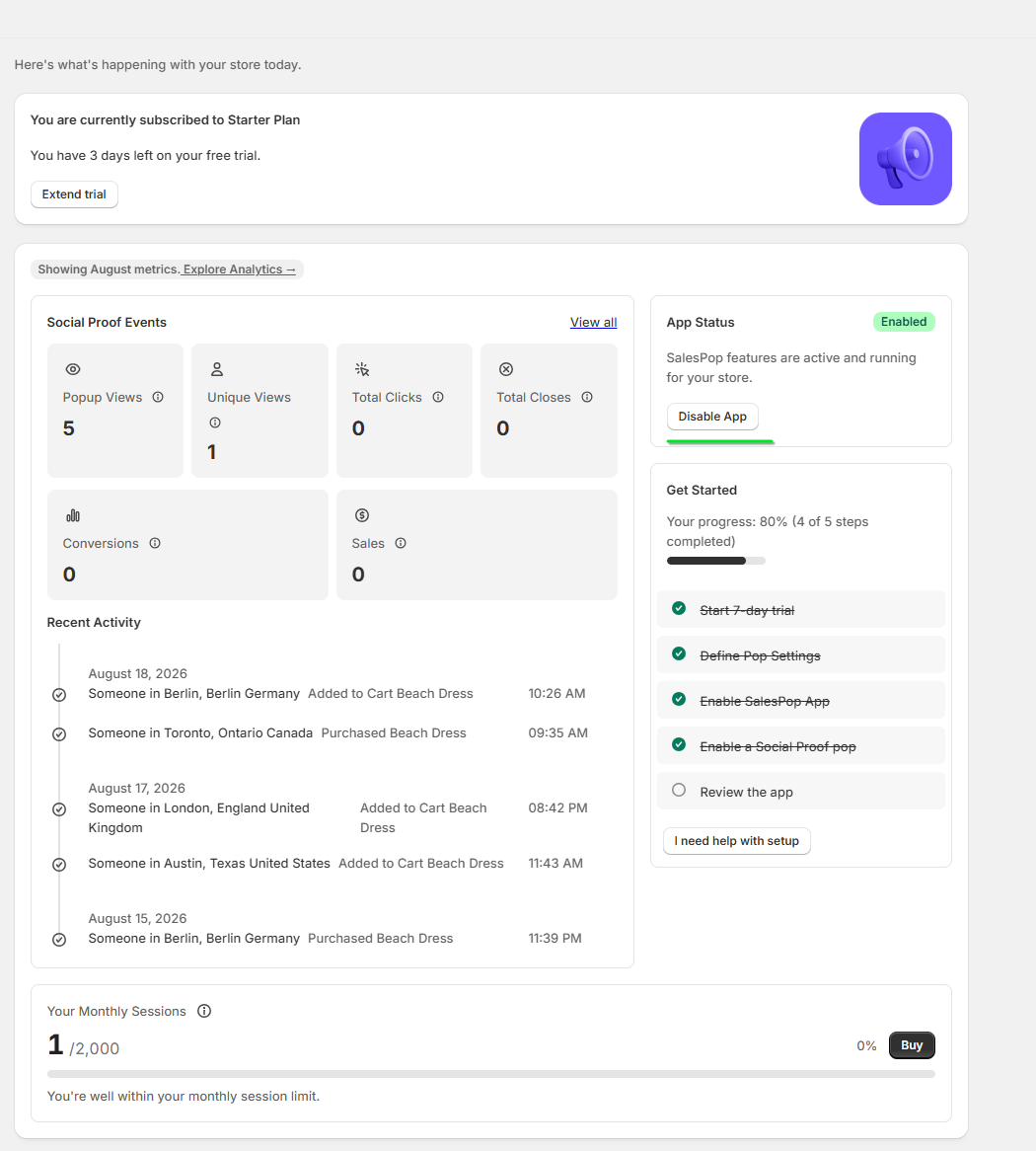
- Crucial Note: Disabling the app does not cancel your subscription. You will continue to be billed as long as the app remains installed on your Shopify account.
🚀 We’d Love Your Feedback
Growth is a constant cycle of testing. If Sales Pop didn't fit your current vision, your insights are incredibly valuable to us. Let us know how we can improve, or reach out if you’d like to discuss the Free Plan or an Expert Audit before you head out.
Contact us: support@salespop.com 🥳
Or schedule a 1on1 video-meeting with our team: Pick the day and time